


Table of Contents
Software teams spend a large amount of time dealing with bugs, failed tests, unexpected application behavior, and the work required to move an issue from discovery to resolution. That makes the question “how does Endbugflow software work?” particularly relevant to developers and teams looking for a more structured debugging workflow.
Based on the publicly available information, Endbugflow is associated with debugging, software-development concepts, technical problem solving, and workflow optimization. Its official website describes a process built around discovering a problem, analyzing and refining the issue, and applying optimized debugging approaches.
However, there is an important distinction to make. Some third-party websites describe Endbugflow as a conventional bug-tracking or software-development platform with integrations, automation, monitoring, and issue-management capabilities. Those descriptions are not consistently supported by detailed first-party product documentation. One recent investigation specifically notes gaps involving product ownership, integrations, installation information, pricing, API documentation, and release history.
So, how does Endbugflow software work? The safest answer is that it is associated with a structured approach to debugging and workflow optimization: identifying problems, collecting useful technical context, analyzing causes, organizing development work, applying fixes, and checking whether those fixes solve the underlying issue.
What Is Endbugflow Software?
Endbugflow is best understood from its publicly available material as a technology-focused platform or knowledge resource centered on debugging and software-development workflows.
The official Endbugflow website describes itself as a focused knowledge platform rather than a traditional technology company website. It says its purpose is to help developers understand technical problems, use practical debugging strategies, and improve digital workflows. Its stated process is organized around three broad stages: discovering the problem, analyzing and refining it, and optimizing and applying the solution.
That description is important because it differs from the way some independent websites characterize “Endbugflow software.” Several third-party articles describe a dedicated issue-management application capable of logging bugs, assigning tasks, tracking progress, and integrating with development tools. Those claims should be treated cautiously until they can be confirmed through authoritative product documentation.
The broader idea behind Endbugflow is nevertheless straightforward. A useful debugging workflow should prevent developers from treating every software problem as an isolated incident. Instead, the team needs a repeatable process that connects the initial symptom with technical evidence, investigation, correction, testing, and follow-up.
That is where the concept of an Endbugflow workflow becomes useful.
How Does Endbugflow Software Work?
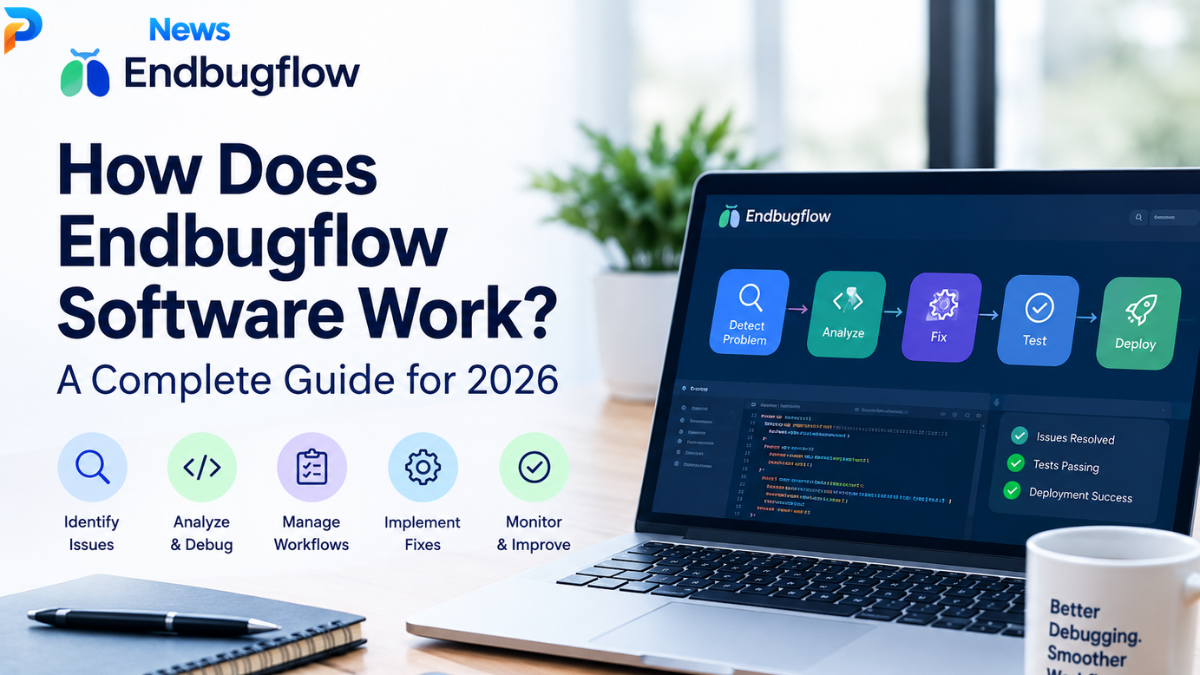
At a high level, the reported Endbugflow approach can be understood as a cycle:
Problem detection → information gathering → analysis → prioritization → investigation → solution → testing → monitoring
The exact technical implementation of each stage is not fully documented publicly, so this should not be interpreted as a confirmed description of proprietary internal architecture. Instead, it represents the workflow principles described by Endbugflow and the standard debugging processes associated with the platform.
The official site describes its approach as beginning with understanding system behavior, development goals, and technical constraints. The next stage involves breaking the problem down using debugging concepts and workflow analysis. Finally, the goal is to apply improved workflows and debugging strategies that support long-term stability.
1. A Software Problem Is Identified
Every debugging workflow starts with a problem.
A user might encounter an application crash. A tester might discover that a feature behaves differently from its requirements. A developer might notice an exception in application logs, while an automated test could fail after a new code change.
The important part is not simply knowing that something went wrong. Developers need enough information to understand what happened and under what conditions it happened.
A useful bug record may therefore contain the affected feature, observed behavior, expected behavior, environment information, reproduction steps, and relevant technical output.
This initial information becomes the foundation for the rest of the debugging process.
2. The Problem Is Investigated
Once a problem is identified, the next objective is understanding its cause.
This is where debugging differs from simply recording an issue. A ticket saying “the application crashed” identifies a symptom but does not explain why the crash occurred.
Endbugflow’s official material emphasizes breaking technical problems down and examining the underlying source of complexity. Its focus on debugging frameworks and root-cause analysis reflects this distinction between recognizing a problem and understanding it.
For example, a visible login failure could originate from several different areas. The interface might send an incorrect request, an API could reject malformed information, authentication logic could fail, or a database query could return unexpected data.
Good debugging narrows these possibilities using evidence rather than assumptions.
3. Technical Context Helps Narrow the Cause
Context is often as important as the error itself.
A developer investigating a problem may need to know which version of the application was running, which operating system or browser was involved, what input triggered the issue, whether the problem occurs consistently, and what changed immediately before the failure.
Third-party descriptions of Endbugflow sometimes claim that the software can collect or organize technical context such as logs, stack traces, network information, or environment details. Because these capabilities are not consistently documented through authoritative first-party product documentation, they should be regarded as reported features rather than confirmed capabilities.
The underlying principle, however, is well established: more reliable debugging depends on better evidence.
4. Issues Can Be Organized by Importance
Not every bug deserves the same response time.
A spelling mistake on an internal page is very different from an authentication failure that prevents customers from accessing an application.
Bug-management systems commonly distinguish between factors such as severity and priority. Severity describes the impact of the problem, while priority reflects how urgently the team should address it.
Some third-party descriptions associate Endbugflow with issue prioritization and workflow management, but the precise mechanisms are not sufficiently documented to claim that a particular prioritization algorithm is definitely part of the product.
The general workflow remains useful: critical problems should normally receive attention before low-impact defects.
Endbugflow Workflow Explained
The easiest way to understand the concept is to imagine a software team discovering a serious application problem.
| Workflow stage | What happens | Main purpose |
| Detection | A problem is discovered | Establish that something is wrong |
| Documentation | Relevant information is recorded | Preserve useful evidence |
| Analysis | Developers investigate behavior and context | Narrow possible causes |
| Prioritization | Impact and urgency are considered | Decide what should happen first |
| Investigation | The suspected cause is tested | Confirm the root cause |
| Development | A correction is created | Resolve the underlying issue |
| Testing | The correction is evaluated | Check that the fix works |
| Deployment | The change reaches users | Put the correction into production |
| Monitoring | The system is observed afterward | Confirm stability and detect recurrence |
This table describes a practical debugging lifecycle rather than claiming that every stage is implemented by Endbugflow as a proprietary software feature.
The distinction matters because publicly available information about Endbugflow is currently inconsistent.
What Are the Main Endbugflow Software Features?
Searching for Endbugflow features produces several different descriptions online. Some pages describe capabilities such as bug logging, workflow management, analytics, automation, integrations, monitoring, and collaboration. However, the official Endbugflow website currently provides stronger evidence for its debugging knowledge and workflow methodology than for a fully documented commercial software feature set.
For that reason, the most defensible way to discuss its features is to separate documented concepts from unverified product claims.
Debugging Guidance
Debugging is the clearest theme across Endbugflow’s own material.
The website discusses methods for identifying, tracing, and resolving software issues. It also emphasizes structured problem solving instead of relying on guesswork.
This makes debugging the central concept behind the Endbugflow name.
Workflow Optimization
Another major theme is workflow optimization.
A debugging process can become inefficient when information is scattered across different systems or when developers repeatedly investigate the same type of problem without a consistent method.
Endbugflow’s stated approach is to examine development goals and technical constraints, analyze problems systematically, and apply more efficient workflows.
Technical Education
The official site also publishes explanatory material covering technical concepts. One example is its discussion of stack traces and how developers can use debugging output to understand what happened inside an application.
This educational component is significant because it means Endbugflow should not automatically be understood as only a conventional bug tracker.
Issue Management and Automation Claims
Several third-party websites attribute additional capabilities to Endbugflow, including automatic issue capture, assignment, integrations, alerts, analytics, and automated workflow handling.
These claims may describe a product concept, reported functionality, or third-party interpretation. At present, there is not enough consistent first-party documentation to treat every one of these features as definitively confirmed.
That distinction is particularly important for businesses considering whether to install software or connect it to production systems.
How Does Endbugflow Compare With Traditional Bug Tracking?
Traditional bug tracking is primarily concerned with recording and managing software defects.
A basic process might involve a tester discovering a problem, opening an issue, assigning it to a developer, changing its status as work progresses, and eventually closing the issue after testing.
A broader debugging workflow goes further by asking why the problem occurred and whether the development process can be improved to reduce similar failures.
| Traditional issue tracking | Broader debugging workflow |
| Records reported problems | Investigates the underlying cause |
| Tracks issue status | Connects investigation with resolution |
| Assigns responsibility | Encourages structured analysis |
| Focuses on individual tickets | Looks for recurring patterns |
| Provides organizational visibility | Supports technical learning |
| Ends when an issue is closed | Can continue through monitoring and prevention |
This distinction helps explain why the phrase Endbugflow workflow can refer to more than a simple list of tickets.
A strong development process treats bugs as information about the software system and the way that system is developed.
What Is Endbugflow Setup Like?

Anyone researching Endbugflow setup should be careful about assuming that installation instructions found on third-party websites represent an official procedure.
Some online guides describe Windows, macOS, or Linux installations and reference repositories or downloadable software. However, independent research has identified inconsistencies in those instructions, including conflicting macOS requirements and uncertainty surrounding a GitHub reference.
For that reason, users should verify the source of any installer before running it.
A sensible setup process for any development tool should establish who publishes the software, where official downloads are hosted, what permissions the application requires, what data it collects, what integrations it requests, and how updates are distributed.
This is especially important if a debugging application will access source code, logs, repositories, credentials, production information, or customer data.
Is Endbugflow Software Safe to Use?
There is not enough authoritative public information to make a blanket statement that every software package described online as “Endbugflow” is safe.
That does not mean the platform is necessarily unsafe. It means the available documentation does not currently provide enough evidence to eliminate normal software-supply-chain concerns.
A developer evaluating the software should verify the publisher and download source before installation. Repository ownership should also be confirmed rather than inferred from a similar-looking GitHub username.
The distinction is important because one investigated installation reference reportedly points toward a GitHub profile that does not clearly establish itself as the official Endbugflow repository.
Security review should also consider permissions, privacy documentation, update mechanisms, licensing, and whether the software needs access to sensitive development resources.
What Should Developers Verify Before Using Endbugflow?
The most important issue is not whether Endbugflow sounds useful. It is whether the specific software being considered can be independently verified.
| Verification area | What to check |
| Publisher | Is the organization or developer clearly identified? |
| Official website | Does the site clearly identify the product and owner? |
| Download | Is the installer hosted through an authoritative source? |
| Repository | Is the repository ownership clearly established? |
| Documentation | Are installation and usage instructions consistent? |
| Privacy | Is data collection explained? |
| Security | Are permissions and security controls documented? |
| Updates | Is there a clear release/update process? |
| Pricing | Are commercial terms publicly explained if applicable? |
| Integrations | Are claimed integrations officially documented? |
These checks are not unique to Endbugflow. They are sensible precautions for any unfamiliar developer tool.
Endbugflow Tools and Practical Use
The phrase Endbugflow tools can refer broadly to the debugging concepts and technical resources associated with the platform.
For a development team, useful debugging tools normally include logging systems, stack traces, source-control history, test suites, issue records, monitoring dashboards, and reproducible test environments.
The value comes from connecting these pieces.
Suppose an application begins producing an unexpected error after a software release. A useful workflow would first establish when the problem began, identify the affected users or environments, examine the available error information, compare recent code changes, reproduce the problem where possible, identify the root cause, implement a fix, test the fix, and monitor the application after deployment.
That workflow is more valuable than simply adding another ticket to a backlog.
Common Misconceptions About Endbugflow
One common misconception is that every feature described on a third-party website is automatically an official Endbugflow capability.
That is not supported by the available evidence. Public descriptions vary considerably, and some sources make detailed claims that are difficult to confirm through the official website.
Another misconception is that a debugging platform automatically fixes software bugs.
Debugging tools can help developers identify evidence and organize investigation, but a tool should not be assumed to independently understand and correct every programming defect.
A third misconception is that a website focused on debugging necessarily represents a conventional downloadable application. In Endbugflow’s case, the official site describes itself as a knowledge platform and technical resource, which is different from clearly documenting a commercial software product with a conventional product page, pricing structure, release notes, and complete technical documentation.
Why Root-Cause Analysis Matters
The biggest practical lesson behind the Endbugflow concept is the importance of finding the cause rather than merely treating the symptom.
Imagine an application repeatedly timing out. Restarting a service may temporarily restore functionality, but it does not necessarily explain why the timeout occurred.
Root-cause analysis asks a different set of questions. Was there a database bottleneck? Did a recent deployment change request behavior? Was an external service unavailable? Did traffic increase unexpectedly? Did a configuration change introduce a new limitation?
Finding the answer can prevent the same failure from returning.
This approach also produces organizational knowledge. Once developers understand why a problem happened, they can improve tests, documentation, monitoring, architecture, or deployment procedures.
My Opinion on How Does Endbugflow Software Work
My view is that the most useful way to approach Endbugflow is with careful optimism rather than assumptions.
The debugging and workflow principles associated with Endbugflow are sensible. Identifying problems, collecting evidence, analyzing root causes, improving development workflows, and validating fixes are all valuable practices for software teams. The official site communicates these ideas clearly.
The uncertainty comes from the product itself. Public sources currently describe Endbugflow in noticeably different ways. Some portray it as a software platform with automation and integrations, while the official website more clearly presents itself as a technical knowledge and workflow resource.
For that reason, I would not recommend treating every feature listed by third-party websites as confirmed. Anyone considering an installation should verify the official publisher, documentation, download location, integrations, security practices, and current product status first.
That approach does not dismiss Endbugflow. It simply applies the same evidence-based thinking that good debugging requires.
Frequently Asked Questions About How Does Endbugflow Software Work
1. How does Endbugflow software work?
Endbugflow is publicly associated with a structured approach to debugging and software workflow optimization. Its official material describes discovering technical problems, analyzing and refining them, and applying optimized debugging approaches. Some third-party sources describe additional software capabilities, but those details are not consistently confirmed by first-party documentation.
2. What is Endbugflow software used for?
The clearest documented focus is software debugging, technical problem solving, and development workflow optimization. Third-party websites also associate the name with bug tracking and issue management, although users should verify specific product capabilities before relying on those claims.
3. Does Endbugflow automatically fix software bugs?
There is not sufficient authoritative evidence to conclude that Endbugflow automatically fixes arbitrary software bugs. Public descriptions focus more broadly on identifying, analyzing, organizing, and resolving technical problems. Developers should not assume autonomous bug fixing unless the specific capability is documented by the official product source.
4. Is Endbugflow a bug-tracking platform?
Some third-party sources describe Endbugflow as a bug-tracking or issue-management platform, but the official Endbugflow website currently presents itself primarily as a technical knowledge platform focused on debugging and workflow optimization. Because these descriptions differ, the exact product status should be verified before treating it as a conventional commercial bug tracker.
5. Should developers install Endbugflow software?
Developers should verify the official publisher, download source, documentation, security information, permissions, and repository ownership before installing unfamiliar software. Public information about Endbugflow contains inconsistencies, so verification is particularly important if the software would access source code, repositories, logs, or production systems.
Conclusion
Understanding how does Endbugflow software work requires separating the documented debugging methodology from broader claims appearing on third-party websites.
The strongest first-party evidence connects Endbugflow with debugging, technical education, root-cause analysis, and workflow optimization. Its stated approach moves from discovering a technical problem to analyzing the underlying issue and applying a more effective solution.
At the same time, public descriptions of Endbugflow software vary. Some sources describe advanced bug tracking, automation, integrations, monitoring, and issue-management features, but not all of those capabilities are clearly verified through authoritative product documentation.
For Canadian developers and software teams researching the platform, the practical takeaway is simple: understand the debugging workflow, but verify the actual product before installation or integration. Confirm who operates it, where legitimate software is distributed, what data it can access, what integrations are supported, and what security and privacy documentation is available.
That evidence-first approach is ultimately consistent with the central idea behind Endbugflow itself: replace assumptions with clear technical understanding and more.
